
In today’s fast-moving digital business world, companies need smarter ways to manage tasks, improve productivity, and reduce manual work. Workflow automation software helps businesses automate repetitive processes and streamline daily operations efficiently
From project management and customer support to marketing and accounting, workflow automation software allows businesses to complete tasks faster, improve accuracy, and save valuable time
Modern businesses in 2026 are increasingly adopting automation software to improve efficiency, lower operational costs, and provide better customer experiences. By automating workflows, companies can focus more on growth, innovation, and strategic decision-making
This guide will explain what workflow automation software is, how it works, its benefits, types, challenges, and the best workflow automation tools for businesses in 2026
What Is Workflow Automation Software?
Workflow automation software is a digital tool that automates repetitive business tasks and processes using predefined rules, workflows, and triggers
It helps businesses complete routine work automatically without requiring constant manual effort, improving efficiency and productivity across different departments
Simple Meaning
In simple words, workflow automation software helps businesses automate daily tasks so work can be completed faster, more accurately, and with less manual involvement
Main Purpose of Workflow Automation Software
The main purpose of workflow automation software is to simplify business operations, reduce repetitive work, improve workflow management, and save time
How Workflow Automation Software Works
The software uses workflows and automated actions to perform tasks based on specific triggers or conditions
For example:
- Automatically sending emails after a customer inquiry
- Assigning tasks to employees when a project starts
- Updating records in a CRM system instantly
- Sending reminders for pending approvals
Common Tasks Automated by Workflow Software
Businesses use workflow automation software to automate tasks such as:
- Email notifications
- Task assignments
- Approval processes
- Data entry
- Customer support tickets
- Invoice generation
- Inventory updates
- Project tracking
Key Features of Workflow Automation Software
Most workflow automation platforms include features like:
- Drag-and-drop workflow builders
- Task scheduling
- Real-time notifications
- Workflow tracking and analytics
- Cloud-based access
- Integration with other business software
- Reporting and monitoring tools
Departments That Use Workflow Automation
Many business departments use automation software including:
- Marketing
- Sales
- Human resources
- Finance and accounting
- Customer support
- Operations management
- Ecommerce and logistics
Benefits of Workflow Automation Software
Workflow automation software helps businesses:
- Save time
- Improve productivity
- Reduce human errors
- Improve communication
- Lower operational costs
- Increase workflow efficiency
Popular Workflow Automation Software Examples
Some popular workflow automation tools include:
- Zapier
- Asana
- Monday.com
- Microsoft Power Automate
Importance in Modern Business
In 2026, workflow automation software has become essential for businesses because it helps manage increasing workloads, improves efficiency, and supports digital transformation
Overall, workflow automation software helps businesses work smarter by automating repetitive processes, improving efficiency, and supporting long-term growth and productivity
you may also like to read these posts;
AI Business Automation Tips for Faster Growth 2026
Marketing Automation Guide 2026 Boost Sales Fast
Small Business Automation Guide for 2026 Growth & Success
How to Automate Business Tasks in 2026
How Workflow Automation Software Works
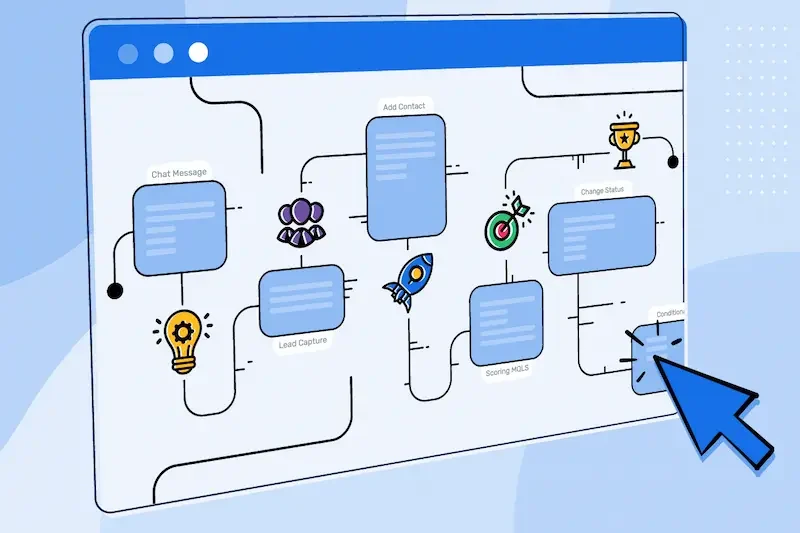
Workflow automation software works by using predefined rules, workflows, and triggers to automate repetitive business tasks and processes without constant manual involvement
It helps businesses streamline operations, improve communication, and ensure tasks are completed automatically and efficiently
Workflow Creation
The first step is creating a workflow that defines how tasks should move from one stage to another
Businesses can design workflows for:
- Employee approvals
- Customer support tickets
- Marketing campaigns
- Project management
- Invoice processing
Many automation tools provide drag-and-drop workflow builders that make setup simple and user-friendly
Trigger-Based Actions
Automation begins when a specific action or condition triggers the workflow
Examples of triggers include:
- A customer submits a form
- An order is placed online
- A payment is completed
- A task status changes
- A new employee is added to the system
Automated Task Execution
Once triggered, the software automatically performs predefined tasks such as:
- Sending emails
- Assigning tasks
- Updating records
- Sending notifications
- Generating reports
- Scheduling meetings
Integration With Other Software
Workflow automation tools connect with other business systems like CRM software, accounting tools, ecommerce platforms, and communication apps
This integration allows data to move automatically between systems without manual entry
Real-Time Monitoring
Businesses can monitor workflows in real time to track progress, identify delays, and improve performance
Notifications and Alerts
The system automatically sends reminders, alerts, and updates to employees or customers when actions are completed or deadlines approach
Data Collection and Reporting
Automation software collects data from workflows and generates reports to help businesses measure productivity and workflow performance
Cloud-Based Access
Most workflow automation tools are cloud-based, allowing businesses to manage workflows remotely from any location
Artificial Intelligence and Smart Automation
Advanced workflow systems use artificial intelligence and machine learning to automate more complex processes and improve decision-making
Error Reduction
Automation reduces manual mistakes by handling repetitive tasks consistently and accurately
Continuous Workflow Improvement
Businesses can analyze workflow performance and make adjustments to improve efficiency over time
Example of Workflow Automation
For example, when a customer places an order:
- The system automatically sends an order confirmation email
- Inventory is updated instantly
- The shipping team receives a notification
- The customer gets tracking information automatically
Overall, workflow automation software helps businesses simplify operations, improve efficiency, reduce manual work, and increase productivity in 2026
Types of Workflow Automation Software
Businesses use different types of workflow automation software to automate tasks and improve efficiency across various departments and operations
Business Process Automation Software
This type of software automates overall business operations and repetitive processes across departments
Common uses include:
- Approval workflows
- Document management
- Employee onboarding
- Operational processes
Popular examples:
- Kissflow
- Pipefy
Marketing Automation Software
Marketing automation tools help businesses automate email campaigns, customer engagement, social media posting, and lead generation
Popular examples:
- HubSpot
- Mailchimp
CRM Workflow Automation Software
CRM automation software helps businesses manage customer relationships, sales processes, and customer communication automatically
Popular examples:
- Salesforce
- Zoho CRM
Project Management Automation Software
These tools automate task assignments, project tracking, team collaboration, and workflow organization
Popular examples:
- Asana
- Trello
HR Workflow Automation Software
HR automation tools simplify payroll, recruitment, attendance tracking, and employee management tasks
Popular examples:
- BambooHR
- Workday
Accounting Workflow Automation Software
These tools automate invoicing, expense tracking, payroll processing, and financial reporting
Popular examples:
- QuickBooks
- Xero
Ecommerce Workflow Automation Software
Ecommerce automation software helps businesses automate inventory management, order processing, shipping, and customer support
Popular examples:
- Shopify
- WooCommerce
Customer Support Automation Software
These tools automate customer communication, ticket management, live chat, and support workflows
Popular examples:
- Zendesk
- Freshworks
IT Workflow Automation Software
IT automation tools manage system monitoring, software deployment, security updates, and technical support tasks
Popular examples:
- ServiceNow
- ManageEngine
Workflow Integration Platforms
These platforms connect multiple apps and automate workflows between them without coding
Popular examples:
- Zapier
- Make
Overall, different types of workflow automation software help businesses automate operations, improve productivity, reduce costs, and simplify complex business processes in 2026
Why Workflow Automation Software Is Important
Workflow automation software is important because it helps businesses automate repetitive tasks, improve productivity, reduce manual work, and streamline operations more efficiently
In 2026, companies of all sizes rely on workflow automation to manage increasing workloads, improve communication, and stay competitive in fast-moving digital markets
Saves Time
Automation software completes repetitive tasks automatically, allowing employees to focus on more important business activities
Improves Productivity
Teams can complete more work in less time by reducing manual processes and improving workflow efficiency
Reduces Human Errors
Automated systems perform tasks consistently and accurately, reducing mistakes caused by manual work
Increases Operational Efficiency
Workflow automation speeds up business processes and improves coordination between departments
Improves Communication
Automatic notifications, reminders, and updates help teams stay informed and connected
Lowers Operational Costs
Businesses can reduce labor costs, paperwork, and delays by automating routine processes
Enhances Customer Experience
Automation helps businesses respond faster to customers and provide more accurate service
Better Workflow Management
Companies can organize tasks, monitor progress, and manage approvals more effectively
Faster Decision Making
Real-time data and reporting tools help businesses make smarter and quicker decisions
Supports Business Growth
Workflow automation allows businesses to handle larger workloads without significantly increasing staff
Improves Team Collaboration
Automation tools improve coordination between employees, departments, and business systems
Better Data Management
Workflow software automatically collects and updates business data for better accuracy and accessibility
Increases Business Flexibility
Businesses can quickly adapt workflows to changing market conditions and customer needs
Improves Compliance and Tracking
Automated systems maintain records and track activities more efficiently for compliance purposes
Real-Time Visibility
Managers can monitor workflow performance and business activities instantly
Enhances Scalability
Workflow automation helps businesses grow by simplifying complex processes and managing operations efficiently
Strengthens Competitive Advantage
Businesses using automation software can operate faster and provide better service than competitors
Supports Digital Transformation
Workflow automation is a key part of modern digital business strategies in 2026
Overall, workflow automation software is important because it helps businesses work smarter, improve efficiency, reduce costs, and support long-term growth and productivity
What is workflow automation software?
Workflow automation software is a digital tool that automates repetitive business tasks and processes using predefined workflows and triggers
Why is workflow automation software important?
It helps businesses save time, improve productivity, reduce manual work, and increase operational efficiency
Which businesses use workflow automation software?
Small businesses, startups, ecommerce companies, and large enterprises all use workflow automation software
Conclusion
Workflow automation software has become an essential part of modern business operations in 2026. It helps companies automate repetitive tasks, improve efficiency, reduce costs, and manage workflows more effectively
By using automation tools, businesses can speed up daily processes, improve communication, reduce human errors, and enhance overall productivity
From marketing and HR to finance and customer support, workflow automation software is transforming how organizations operate and grow
In the future, businesses that adopt workflow automation will stay more competitive, scalable, and better prepared for digital transformation and long-term success